
Huawei Garanti Sorgulama Nasıl Yapılır? En Kolay Yöntemler
Özellikle ikinci el bir telefon alınırken en çok merak edilen konulardan biri, cihazın garanti kapsamında olup olmadığıdır. Huawei kullanıcıları da bu nedenle sık sık “Huawei garanti sorgulama nasıl yapılır?” sorusunu araştırır. Cihazın garanti kapsamında olması hem teknik destek süreçlerini kolaylaştırır hem de kullanıcıya güven verir. Bu yüzden yeni ya da ikinci el fark etmeksizin bir Huawei cihaz satın almadan önce garanti kontrolü yapmak oldukça önemlidir.
Neyse ki Huawei garanti sorgulama işlemi oldukça kolaydır. Sorgulama yapabilmek için ihtiyacınız olan tek şey cihazın IMEI numarasıdır.
Aşağıdaki adımları takip ederek cihazınızın garanti durumunu hızlıca öğrenebilirsiniz:
Huawei Garanti Sorgulama Adımları
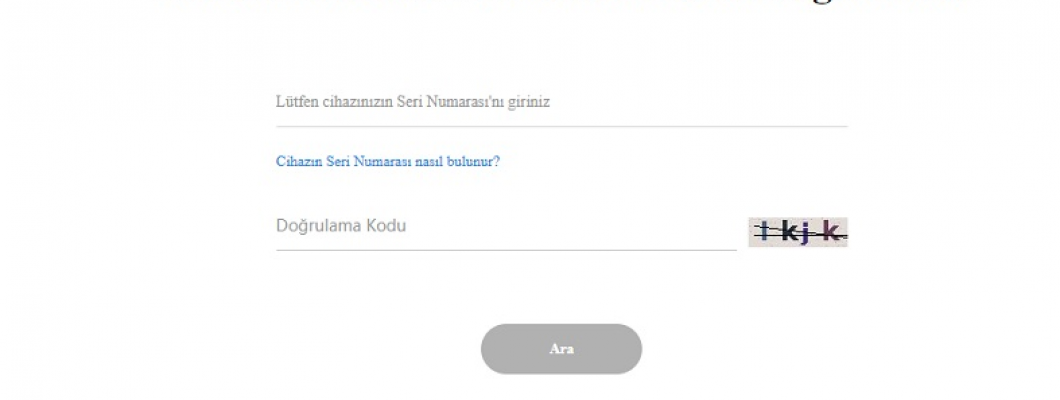
Huawei’nin resmi web sitesine girerek “Garanti Süresi ve Destek Hizmeti Sorgulama” bölümüne ulaşın.
Açılan sayfada yer alan kutucuğa cihazınızın IMEI numarasını yazın.
Site üzerinde görünen doğrulama kodunu girin ve arama butonuna tıklayın.
Karşınıza gelen ekranda cihazınıza ait tüm garanti bilgilerini görebilirsiniz.
Bu işlemle birlikte Huawei cihazınızın garanti sorgulaması tamamlanmış olur.
Huawei IMEI Numarası Nasıl Öğrenilir?
Garanti sorgulaması için IMEI numarasını bilmek şarttır. IMEI numarasına farklı yollarla kolayca ulaşabilirsiniz:
Cihaz kutusunun üzerinde IMEI bilgisi yazar.
Eğer cihazın arka kapağı açılabiliyorsa, iç bölümde IMEI numarası bulunabilir.
En hızlı yöntem ise telefonun arama ekranına gelerek *#06# tuşlamaktır.
Bu işlemden sonra IMEI numarası ekranda otomatik olarak görüntülenir.
IMEI numaranızı öğrendikten sonra Huawei’nin resmi sitesi üzerinden garanti durumunu hızla sorgulayabilirsiniz.
Deritel, Huawei telefonlarınız için uzun ömürlü premium deri kılıf ve aksesuar seçenekleriyle cihazınızı korumanıza yardımcı olur.



















Bir Yorum Yaz