
Sahte Airpods Nasıl Anlaşılır?
Sahte airpods nasıl anlaşılır? Piyasada birçok teknoloji firmalarının ürettiği cihazların sahtesi mevcuttur. Kimileri bu cihazların orijinalliğini umursamazken kimileri orijinalliği konusunda hassasiyet gösterir. Sahte airpods nasıl anlaşılır? Bu sorunun cevabını bulabilmek için markanın belirlediği seri no ve tasarımı gibi bazı hususlara dikkat edilmesi gerekmektedir.
Sahte Airpods’u Nasıl Ayırt Ederiz?
- Paketi İnceleyin: Apple satışa sunduğu cihazın kutusu üzerinde belirli pikselli resimler tasarlamakta ve ürün hakkında bilgi içeren metin yazmaktadır. Sahtesini piyasaya süren firma yazım hataları, çift boşluk, kalitesi düşük resimler ve metin kullanacaktır. Ancak orijinal airpods hatasız bir şekilde piyasaya sunulmaktadır.
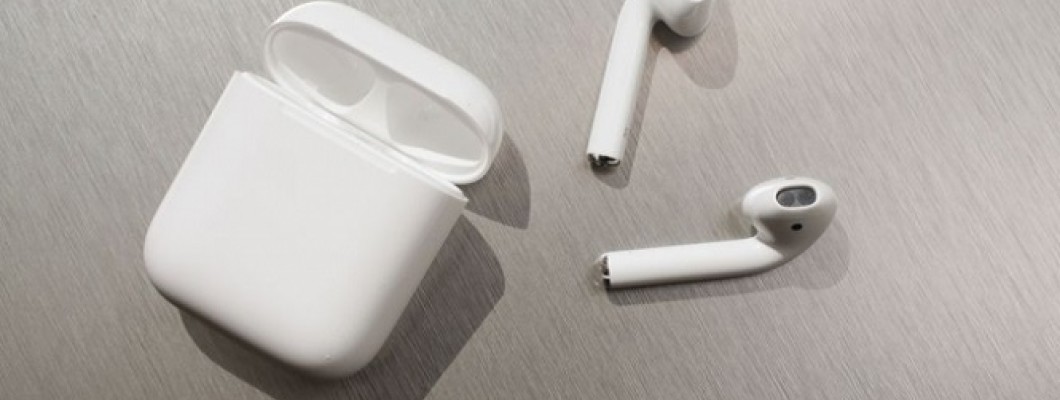
- Airpods’un Tasarımını İnceleyin: Apple web sitesinden kulakları inceleyerek elinizdeki kulaklık ile karşılaştırma yapınız. Karşılaştırma esnasında kulaklığın delikleri, havalandırma kısımlarına, hizalarına ve rengine dikkat etmelisiniz. Apple, Airpods’u uzay grisi, yeşil, gümüş, pembe ve gök mavisi olmak üzere beş renk seçeneği ile piyasaya sunmuştur.
- İPhone ile Bluetooth Bağlantısını Test Edin: Orijinal Airpods özellikleri sırasıyla kendine özgü H1 ve W1 yongası ile bluetooth bağlantısını kurmaktadır. Bağlantı kolay bir şekilde gerçekleşir. Bağlantının kurulduğu anda bağlantı animasyonu göreceksiniz. Ayrıca orijinal airpodslarda otomatik kulak algılama ve kulaklığın adını değiştirme seçenekleri sunar. Sahte airpodslar bağlantı yongasını kolayca kopyalarken tek tek bağlanma gerekliliği ve sadece bağlantı kesme seçeneği sunarak kendini belli ediyor.
- Otomatik Kulak Algılama İşlevini Deneyin: ‘’Hey Siri’’ diye seslendiğiniz de Siriyi aktifleştirebilirsiniz. Kulaklığın birini çıkarttığınızda müzik duraklar. Kulaklığın sapında bulunan sensöre bir defa bastığınızda şarkıyı duraklatabilir, iki kere bastığınızda şarkıyı değiştirebilir, üçüncü kez de önceki şarkıya geri dönebilirsiniz. Sensöre basılı tuttuğunuzda saydamlık modu ve aktif gürültü engelleme modu arasında geçiş yaparsınız. Orijinal Airpodslarda bu özellikler yer almaktadır.
- Apple Web Sayfasından Seri Numarasını Kontrol Edin: Seri numarası kontrol edilmesi sahte airpods nasıl anlaşılır? Sorusunun en güvenilir cevabını vermektedir. Apple, her ürününe kendine özgü bir seri numarası vermektedir. Resmi web sitesinden seri numarayı kontrol ettiğinizde kulaklığınıza ait bilgiler çıkarsa orijinal demektir. Eğer hiçbir bilgiye ulaşamazsanız bu da sahte olduğunu gösterir.
Bu adımlar hariç orijinal airpods ayırt etme yolu içerisinde sahte ve orijinal airpodslar arasındaki fiyat farkı vardır. Apple’ ın resmi web sitesindeki fiyatları baz alarak fiyat karşılaştırması yaparak satın almanız orijinal bir airpodsa sahip olmanızı sağlayacaktır. Sahte airpods almak istemiyorsanız sahte airpods nasıl anlaşılır? Kutu ve kulaklık tasarımı, fiyatı ve özelliklerini Apple’ın resmi web sitesinden incelemeniz gerekmektedir.
Deritel Apple aksesuarları markası online marketi.



















Bir Yorum Yaz