
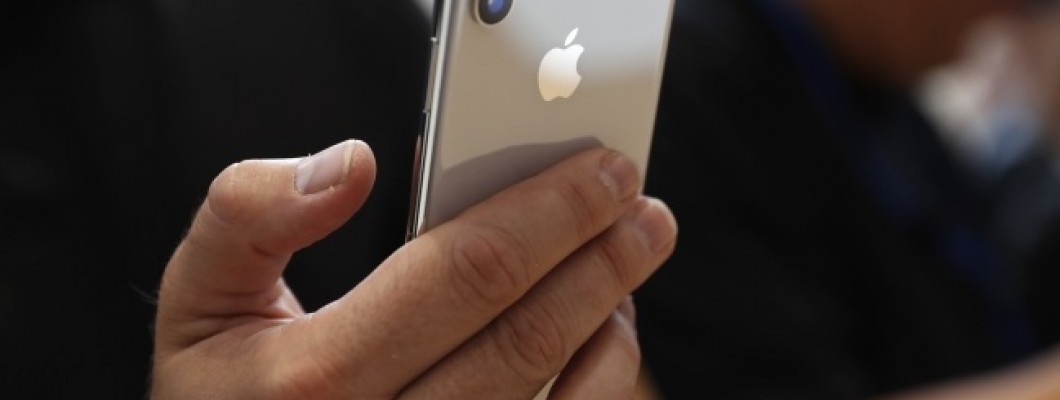
İphone Hafıza Temizleme Nasıl Yapılır?
İphone hafıza dolması cihazın donmasına neden olur. İnternet ve önbellek dosya temizlemenin yapılması cihazın daha da hızlı şekilde çalışmasına neden olacaktır. İphone hafıza temizleme nasıl yapılır? oldukça önemli olmaya başlayacaktır.İphone da ön bellek dolumu, kullanıcıların son zamanda en çok şikayet ettiği konuların arasında yer almaktadır. Fakat birkaç adım sayesinde bellek temizliği sorunsuz şekilde yapılması mümkündür. İphone cihazlarında bellek dolduğunu anlamanın en iyi yollarından biri ise cihazlar yavaş şekilde çalışmaya başlar. Telefon dolmaya başladığı zaman cihaz yavaşlamaya başlayacaktır. Özellikle 16 GB depolama alanı olan bir cihazda daha büyük sıkıntılar oluşturmaya neden olur.
İphone Hafıza Dolumu Var, Ne Yapmalıyım?
İphone cihazlarında hafıza dolumu olduğu zaman şu adımları izleyerek cihazlarınızdaki sorunların ortadan kalkmasını sağlayabilirsiniz:
*Mesajları tut bölümüne gelerek temizleme işlemini yapabilirsiniz
*Fotoğraf yayım özelliği aktif ise kapatmalısınız
*Cihazınızda yalnızca HDR dosyaların saklı tutulmasını sağlayın
*Sesli mesajları temizleyin
*İnstagram orijinal resim kaydetmeyi pasif hale getirin
*Cihazda kullanılmayan ve boşu boşuna yer kaplayan uygulamalar varsa silin
*Safari önbellek temizliğini yapın
Tüm bu adımları yerine getirdiğiniz zaman İphone hafıza dolumu silme işlemini sorunsuzca gerçekleştirmiş olursunuz. Bu sayede cihazınızda zamanla meydana gelen yavaşlama sorunlarının giderilmesini de sağlamaya başlamış olursunuz. İphone hafıza temizleme nasıl yapılır diye sorgulayan kişilerin belirttiğimiz bu yolları deneyebileceklerini söylemeliyiz.
İphone Önbellek Temizleme Nasıl Yapılır?
İphone önbellekleri dolmasıyla cihazlarda donma, kasma gibi istenmeyen problemlerin yaşanmasına neden olur. Cihazlarınızı bundan sonra daha hızlı ve problemsiz bir şekilde kullanmak istiyorsanız İphone önbellek temizleme nasıl yapılır bilmelisiniz. İphone cihazlarınızda önbellek temizliğini gerçekleştirmek istiyorsanız o halde yapmanız gereken işlem ise tarayıcı verilerini temizleye dokunmanız olacak. Çerezler Site verileri temizleme bölümüyle önbelleklerin de sorunsuz bir şekilde temizlenmesini sağlayabilirsiniz.
Önbellekte yer alan resim ve dosyaları da temizleyerek cihazda daha fazla yer kaplamasının önüne geçmiş olursunuz. Böylelikle İphone cihazlarınız artık daha sorunsuz bir şekilde kullanılmaya başlanır. İphone önbellek temizleme nasıl yapılır diyenlere pratik çözümler sunduk. Bu pratik bilgiler ışığında hafıza temizleme yapabilirsiniz.
Deritel Apple iPhone aksesuarları online marketi.



















1 Yorum
Teşekkürler
Değerlendirmeniz için teşekkürler...
Bir Yorum Yaz